

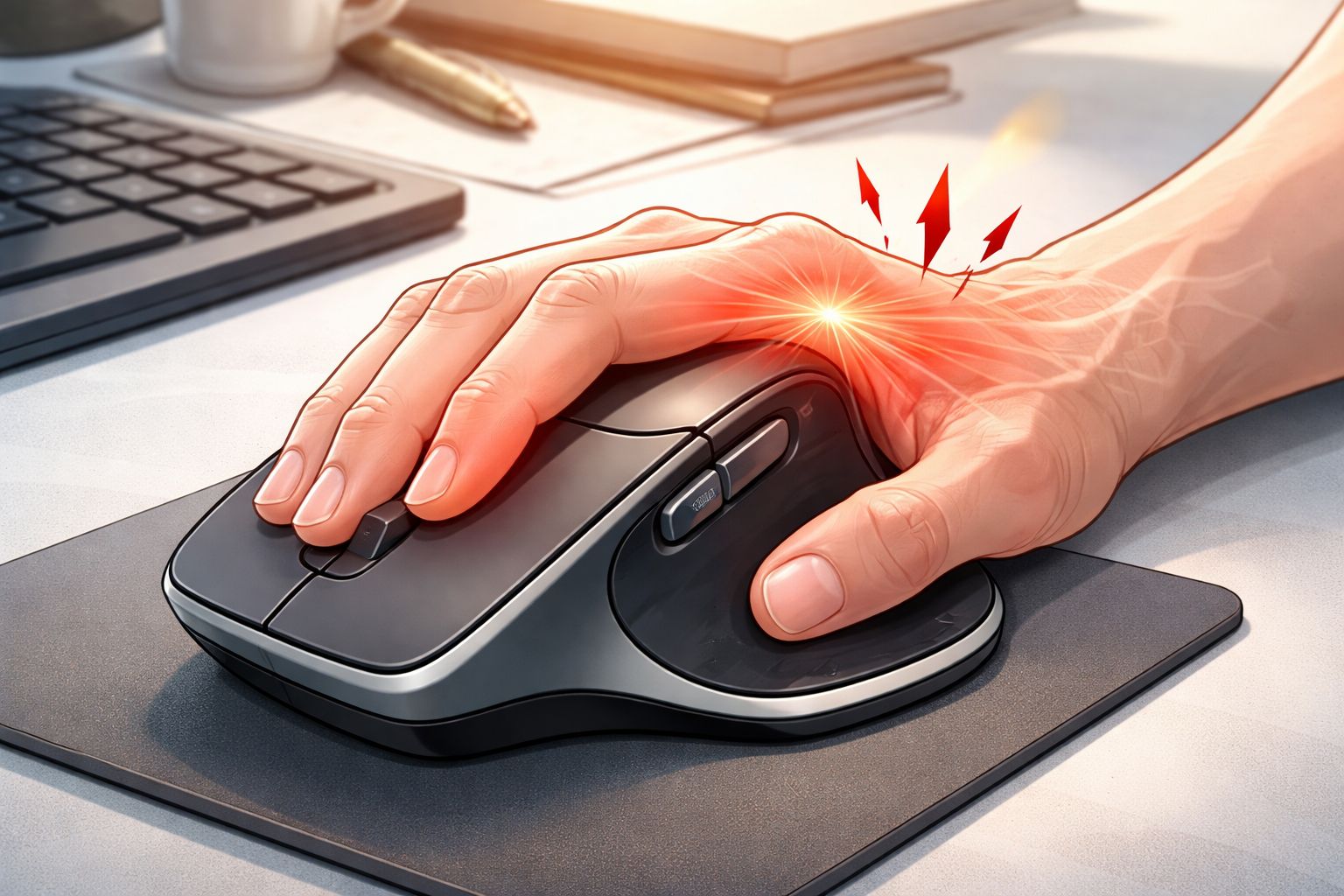
Many professionals spend several hours every day working on computer and mouse which may cause trigger finger. Developers, designers, writers, editors, and office workers rely heavily on a computer mouse for navigation and productivity. While this has made work faster and more efficient, prolonged mouse usage has also led to certain repetitive strain injuries. One condition that some heavy computer users experience is trigger finger.
When someone develops pain or stiffness in the index finger, it is natural to suspect the computer mouse they use every day. A commonly used device among professionals is the Logitech MX Master 2S, a premium productivity mouse known for its ergonomic design and advanced features. Because of its size and shape, some users wonder whether this mouse could be responsible for finger pain or trigger finger symptoms.
The answer, however, is not straightforward. While a large mouse like the MX Master 2S might contribute to finger strain in certain situations, it is important to understand that it cannot be the only reason behind trigger finger.
Understanding Trigger Finger
Trigger finger, medically called stenosing tenosynovitis, occurs when the tendon responsible for bending a finger becomes inflamed. Tendons normally glide smoothly through a protective sheath that allows fingers to move freely. When inflammation develops, the tendon cannot slide easily, causing the finger to catch or lock while bending or straightening.
People experiencing trigger finger often notice symptoms such as:
- Pain near the base of the finger
- A clicking or popping sensation during movement
- Finger stiffness, especially in the morning
- Difficulty straightening the finger
- In severe cases, the finger locking in a bent position
This condition frequently affects the index finger or thumb, especially in people who perform repetitive hand movements.
Why Computer Mouse Usage Can Contribute
Using a computer mouse may look like a simple action, but it involves repeated finger movements throughout the day. For professionals working on computers for long hours, the index finger may click the mouse thousands of times daily. Over time, this repetitive motion can irritate the tendon controlling the finger.
Some common factors related to mouse usage that may increase finger strain include:
- Continuous clicking for long periods
- Holding the mouse tightly while working
- Maintaining the same hand position for hours
- Lack of breaks during long computer sessions
These repetitive actions may gradually stress the finger tendon and contribute to inflammation.
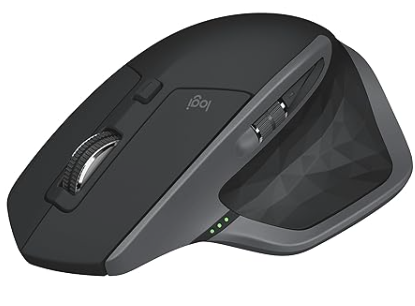

The Logitech MX Master 2S and Its Ergonomic Design
The Logitech MX Master 2S is widely regarded as one of the most popular productivity mice available today. It is designed to support the palm and reduce wrist strain, making it a favorite among professionals who spend many hours at their computers.
Some reasons for its popularity include its sculpted ergonomic shape, customizable buttons, high precision sensor, and the ability to switch between multiple devices. The mouse is also slightly larger and heavier than many standard mice, which helps provide palm support for users with medium to large hands.
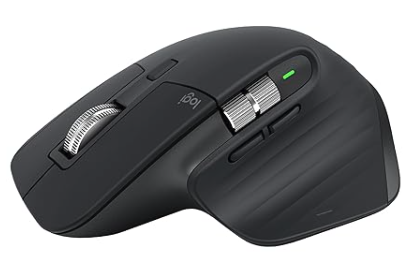
Because of these features, many people find the MX Master 2S comfortable for extended work sessions. There is another option MX Master 3S which is lighter, smaller and more functionalities than MX Master 2s, you can consider.
When a Large Mouse May Contribute to Finger Strain
Despite its ergonomic design, a large mouse may not be ideal for every user. Hand size plays a major role in determining whether a mouse feels comfortable or not. For people with smaller hands, a bigger mouse can sometimes cause the index finger to stretch slightly more than usual to reach the left-click button.
When this stretch is repeated over long periods of time, the finger may remain under mild tension. Combined with constant clicking, this tension may increase the load on the finger tendon.
However, it is important to emphasize that the MX Master 2S itself is rarely the direct cause of trigger finger. Instead, it may simply act as one contributing factor among many.
Why the Mouse Alone Is Not the Real Cause
Many people assume that changing the mouse will instantly solve the problem. In reality, trigger finger usually develops because of a combination of factors rather than a single device.
These factors often include:
- Long hours of uninterrupted computer work
- High-frequency mouse clicking
- Poor hand or wrist posture
- Insufficient breaks during work
- Existing tendon irritation or inflammation
Because of this, blaming the mouse alone may overlook the bigger ergonomic picture.
Signs Your Mouse Setup Might Be Contributing
If your mouse usage is playing a role in finger strain, you may notice that symptoms become worse after long computer sessions. Some users feel pain specifically while clicking the mouse, while others experience stiffness after working for several hours.
Typical warning signs include pain at the base of the index finger, mild swelling, or a clicking sensation when straightening the finger. In some cases, the finger may feel stiff after waking up or after extended computer use.
These signs suggest that repetitive finger movement may be contributing to tendon irritation.
Reducing the Risk of Trigger Finger
Rather than focusing only on changing the mouse, improving overall computer ergonomics is usually more effective. Small adjustments to daily work habits can significantly reduce strain on the fingers.
A few practical steps that help include:
- Taking short breaks every 30–40 minutes
- Using keyboard shortcuts to reduce mouse clicks
- Keeping the hand relaxed instead of gripping the mouse tightly
- Ensuring the wrist stays in a neutral position while working
Simple hand stretches and finger movements during breaks can also help maintain tendon flexibility.
The Logitech MX Master 2S remains one of the most popular ergonomic mice used by professionals around the world, and for many users it provides excellent comfort and productivity benefits.
While its larger size might contribute to finger strain for some individuals—particularly those with smaller hands—it is important to understand that trigger finger is rarely caused by a single device. The condition typically develops due to a combination of repetitive movements, prolonged computer use, and ergonomic habits.
Instead of blaming the mouse alone, the best approach is to focus on healthy work practices, proper hand posture, and regular breaks. By improving overall ergonomics, computer users can significantly reduce the risk of trigger finger and maintain long-term hand health.